
Quick Summary
Build in OMIA Studio with AI or manually, export your ZIP, and publish to the OMIA Store as a free or paid template.
The OMIA Store lets you publish OMIA Studio projects as reusable templates. You can build with AI assistance or without it, then share your project for free or set a price.
Build and Publish
Create your wireframe, add your logic, and export the project ZIP when you are ready. Templates uploaded to the store can be turned into web, mobile, or desktop apps.
Browse published templates or launch your listing from the OMIA Store: https://store.omia.pro.
- Publish for free if your goal is reach and adoption.
- Set a price if you want to monetize your template.
- Exported ZIP projects can be converted to web, mobile, or desktop apps.
Pricing and Value
Templates with stronger built-in logic are usually more useful to developers. In practice, this means more complete templates can support higher pricing.
How Payouts Work
For paid templates, OMIA tracks unique pro-user downloads and remits creator earnings on the third day of each month via PayPal.
OMIA remits 85% of template sales to creators. The remaining 15% is retained for payment processing, platform operations, compliance, and legal administration fees.
Portfolio and Hiring Visibility
Each creator gets a portfolio link in the store. You can use it to showcase all your published work and include contact information so employers and collaborators can reach you directly.
Upload Security
Before downloads are available, uploaded exports are tracked and protected in the OMIA Store pipeline. This supports fair usage and reliable payout accounting.
What to Submit During Upload
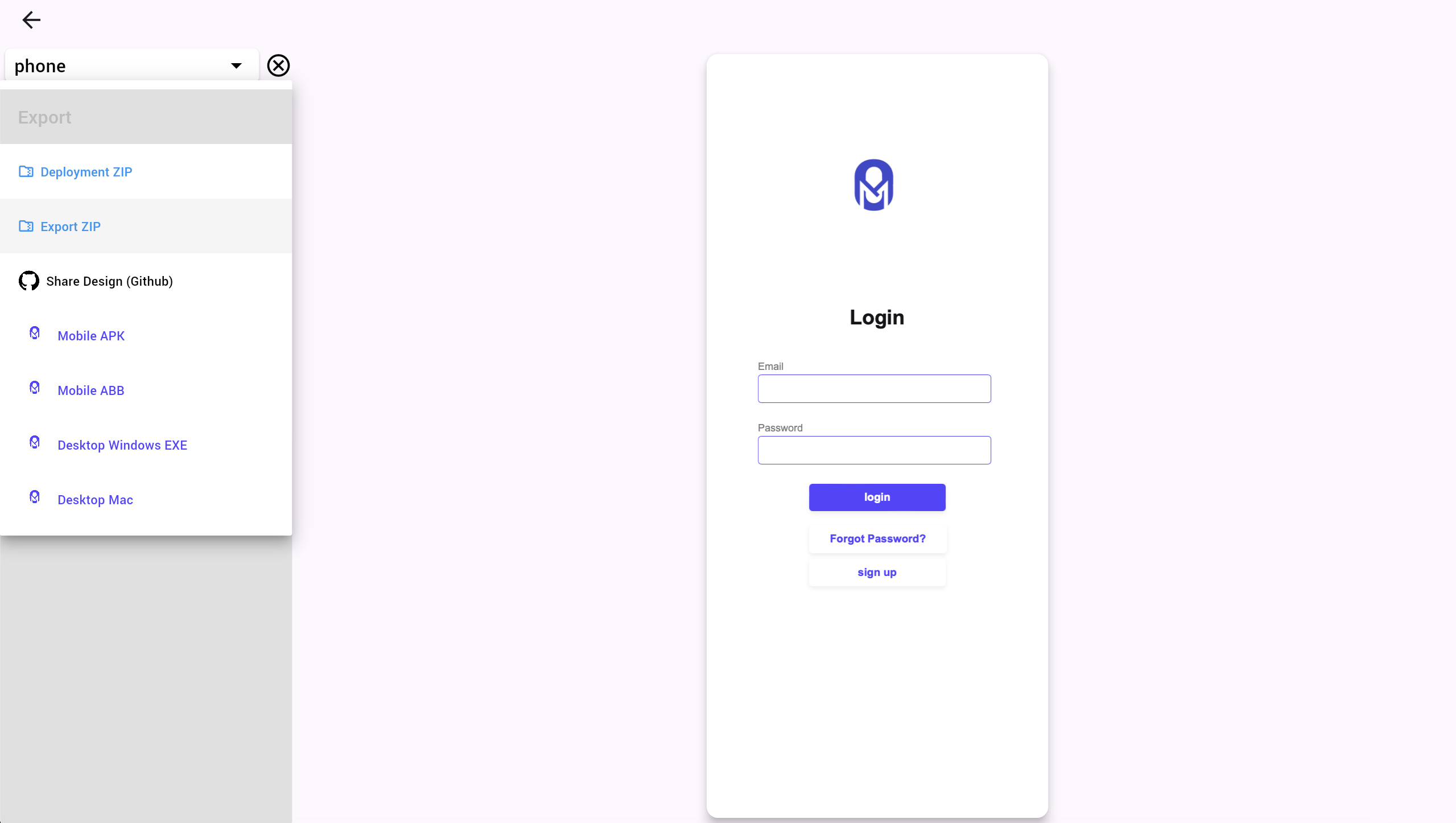
Start from your project export flow in OMIA Studio, then provide the required upload assets.
1. One Promotional Image
Submit a single promo image that represents your template clearly in the OMIA Store listing.
2. Exported Project ZIP
In your project preview screen, open the left dropdown, select Export, create a build, and download the generated ZIP file.
3. Deployed Wireframe Link
Inside OMIA Studio, use Share on GitHub and submit the resulting GitHub Pages wireframe link as part of your store upload.
Checklist Before You Publish
- Finish your app wireframe and logic in OMIA Studio.
- Export and download the latest project ZIP from preview.
- Generate and verify your GitHub Pages wireframe link.
- Prepare one high-quality promotional image.
- Choose free distribution or attach a price and publish.
- Share your store portfolio link so employers can review your work and contact you.
This gives you a clear path: build, export, upload, and publish with a profile that helps you get discovered.